
Blog / For brokers
For brokersWhy do I have to unpost and repost just to change a rate?
A rate change shouldn't mean deleting your load board post and starting over. Why agents end up reposting, what stale posts cost, and how to change it once.
Many tools, even ones that post for you, send your load to the board once and never sync it again, so the post can't follow your rate. When the rate moves, the quick fix is to pull the post and put it up again, on every board, every time.
Example
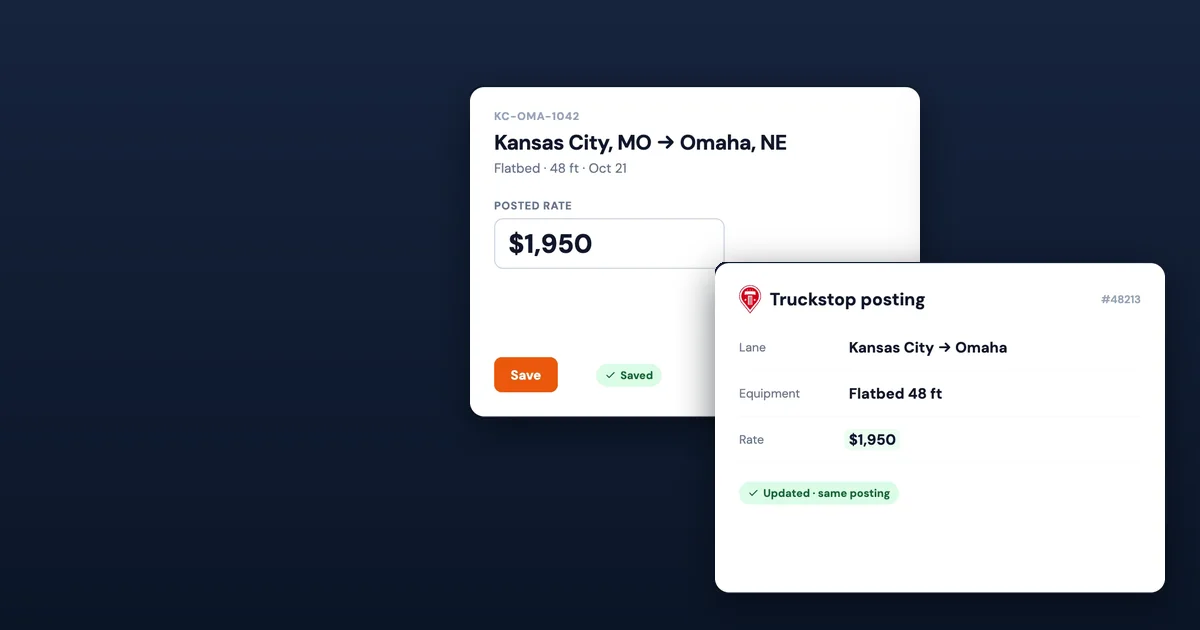
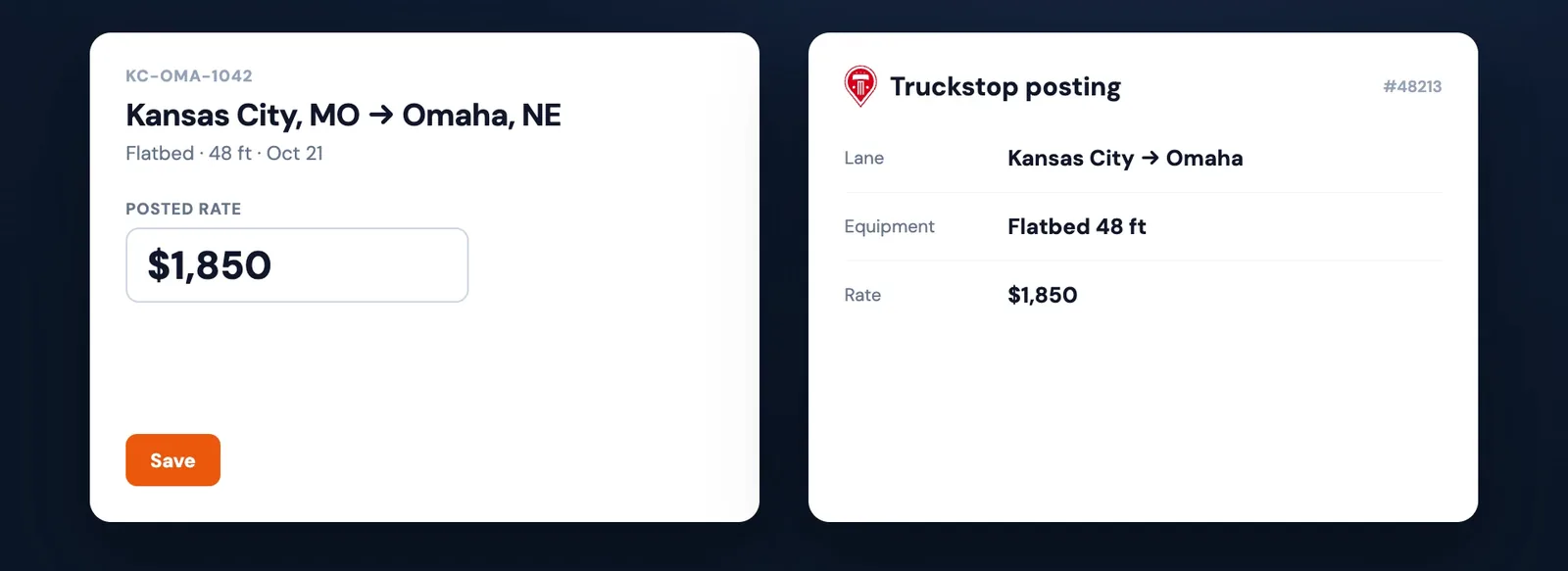
A flatbed from Kansas City to Omaha has been on the board since 9 a.m. at $1,850. It's 2:30, the phone is quiet, and you decide to go to $1,950.
In a lot of offices that one decision turns into a small project. Change the rate where you track the load. Find the post on Truckstop and delete it. Post it again with the new number. Then do the same on DAT. Somewhere in the middle, a carrier calls about the old post and you quote from the wrong number.
Freight agents put it to us plainly: to change a rate, they have to unpost and repost. Here's why that happens, what it costs, and how to stop doing it.
Why a rate change becomes a repost
The posting is a copy. Many tools send a load to a board once. From then on there are two records, yours and the board's, and nothing keeps them in step. Every change has to be made twice, or three times with two boards.
Deleting feels safer than editing. When you can't be sure an edit took, starting over is the one move you trust. The new post has the right number, and you can see it.
Tools that post for you, then stop. Some tools take the first step off your plate and put the load on the boards automatically. That saves a few minutes on the first post. But if they can't edit a live post, every rate change is still a pull and a repost, and a covered load can stay up until someone takes it down.
A repost looks fresh. On boards that sort by age, a new post lands near the top of carriers' searches. So some reposting is on purpose. That's a refresh, and it's worth doing with a reason (when to refresh). Reposting just to fix a number is a chore.
What stale posts cost
The rate is one way the copies drift apart. Status is the other: a load gets covered and the post stays up.
On July 21, 2026, in the middle of the afternoon, SmartLoads' first agency customer had 279 live Truckstop postings and 237 open loads on its board. About 40 of those postings were for loads already covered or booked. Each one could bring a call about freight that was gone.
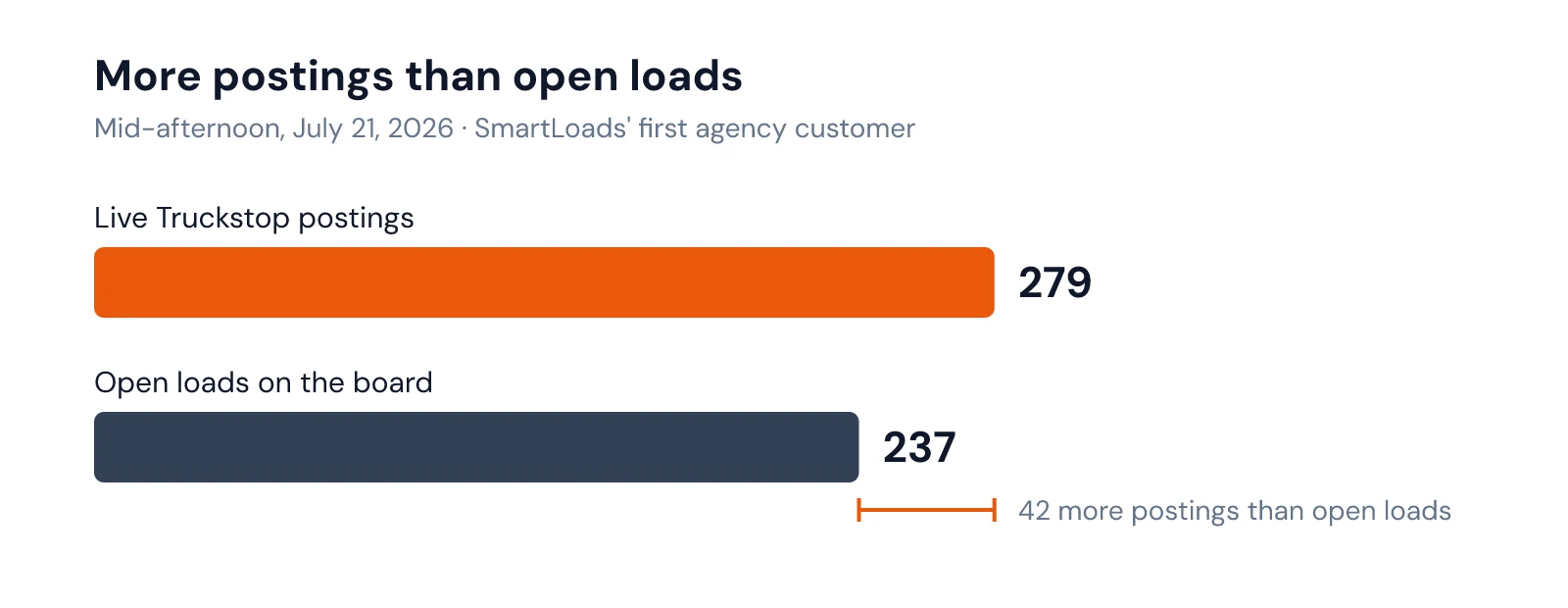
Stale posts cost you in three ways:
- The wrong number on the board. A carrier calls on $1,850 after you've moved to $1,950, and the talk starts in the wrong place.
- Calls on dead freight. Each one takes a minute to answer and a little trust to explain.
- Time. Deleting and reposting is a few screens per board, per change, all day long.
The changes pile up on the hard loads. Same-day freight, a lane with few trucks, a Friday afternoon: those are the loads you walk up two or three times, and they're the ones where a wrong number on the board hurts most.
What any agent can do today
You don't need new software to cut most of this down.
- Keep one home for the rate. Change it there first, then on each board, in the same order every time.
- Plan the walk-up before you post. Decide your start, your next step, your ceiling and when you'll move. For example: post at $1,850 at 9, go to $1,950 at 1 if calls are thin, and stop at $2,050. Fewer changes mean fewer reposts.
- Make "take it down" part of covering. The load isn't covered until the post is gone.
- Count once a day. Compare live postings with open loads. If postings are higher, something is stale.
SmartBoard: change it once
SmartBoard, the SmartLoads board where your team works every load, keeps each Truckstop posting tied to its load. A rate change is one change, and you can see it land.
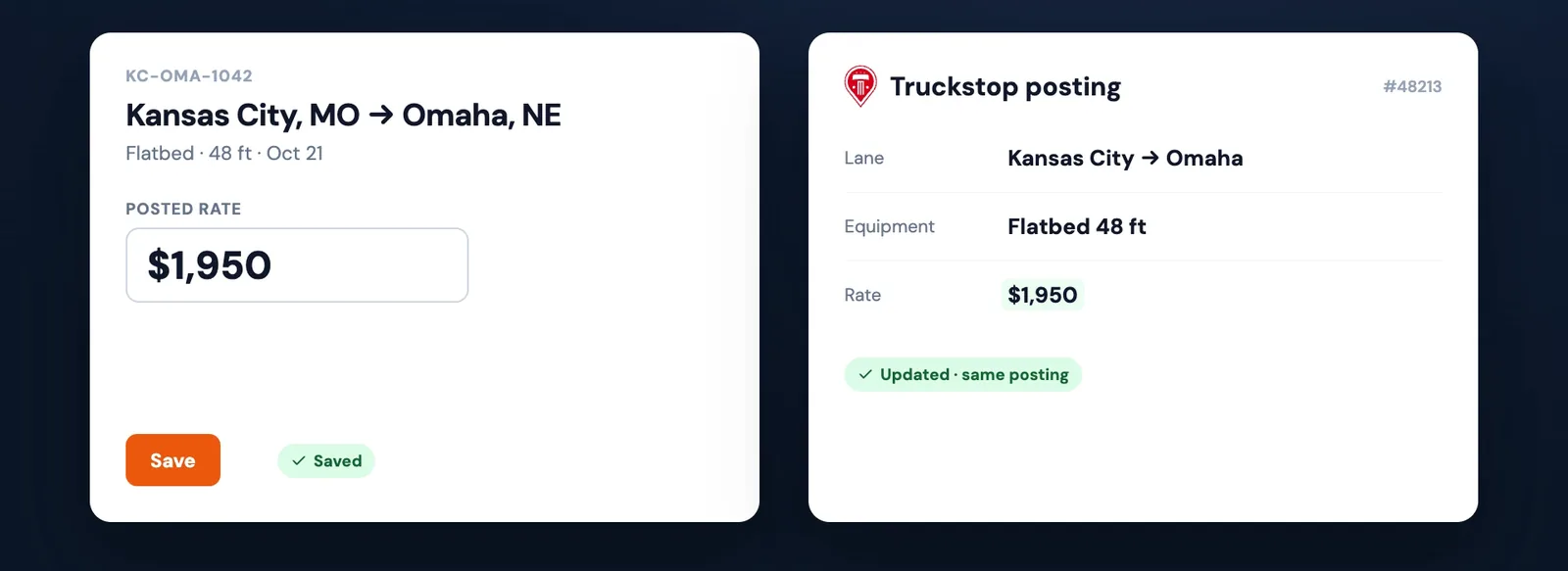
Change the rate once. Open the load, change Target pay and click Save Load. Target pay sets the rate SmartLoads posts. If the load is on Truckstop, SmartLoads updates that same posting through Truckstop's API. Nothing is deleted, and nothing is posted twice.
The carrier sees one listing at the new rate. There's no second post for the same truckload, and no old one left behind still saying $1,850. Truckstop shows a rate only for customers whose profile has Show rate on load boards turned on. An admin sets it once per customer.
Covered loads come down. When a load is covered, booked or archived, a sweep that runs every 10 minutes takes its Truckstop posting down. SmartLoads shipped that sweep the same week as the count above.
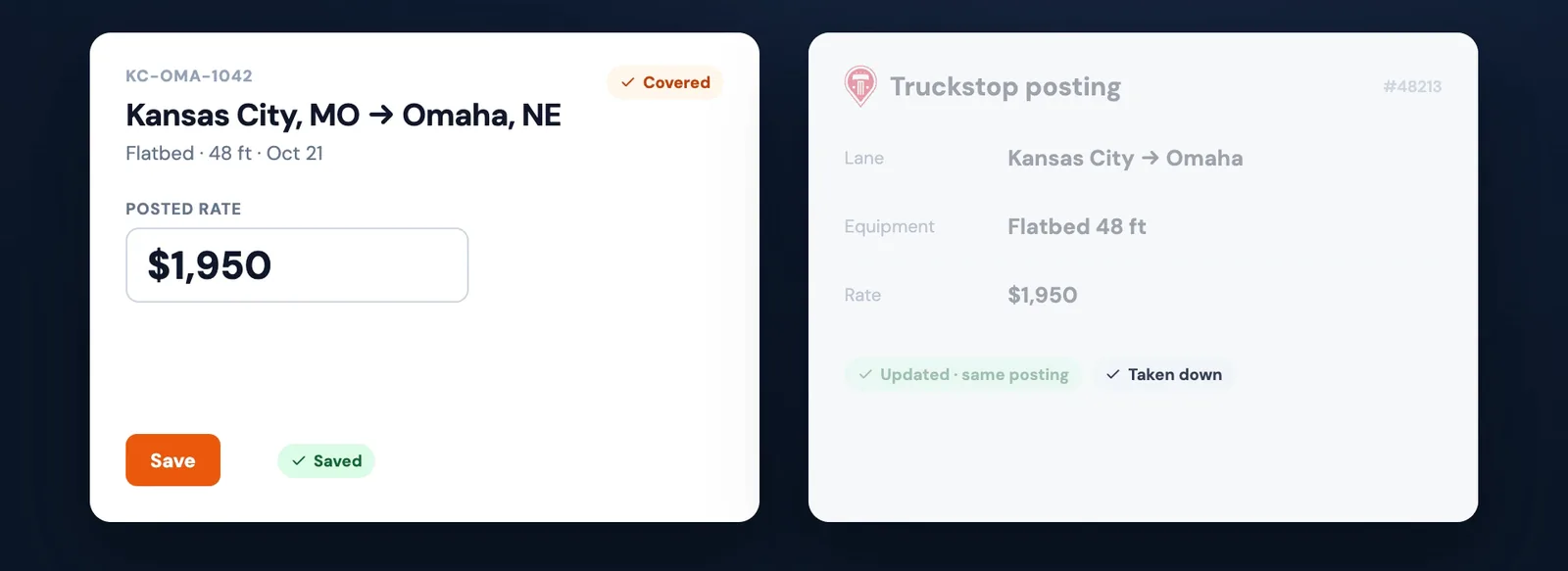
DAT goes by file for now. DAT API access for SmartLoads is still pending, so SmartLoads sends new loads to DAT in an upload file (how posting works). A file can't change a posting that's already up, so for now change the rate on the posting in DAT itself.
A person books every load. SmartLoads never books or covers a load on its own. It keeps Truckstop current, so the calls you get are about freight you still have, at the rate you meant. To decide how far to walk up, Truckstop Rate Insights shows what a lane has been paying.
What that adds up to:
- One change for Truckstop. Change Target pay on the load and its Truckstop posting follows.
- One listing per load on Truckstop, updated in place.
- Covered loads come off Truckstop within 10 minutes, so fewer calls come in on freight that's gone.
The video at the top shows it in a few seconds, and the SmartLoads home page has the rest of the tools. Thinking about running your own desk? Here's how to become a freight agent. To stop reposting, see how SmartBoard works: every customer load on one board, posted to Truckstop and kept current.
Frequently asked questions
Can I change a load's rate on Truckstop without reposting it?
In SmartLoads, yes. Change the load's Target pay and click Save Load, and the same Truckstop posting updates. You don't delete it or post it again. The rate shows on Truckstop for customers whose profile has Show rate on load boards turned on.
Does SmartLoads update DAT when I change a rate?
Not yet. DAT API access is pending, so SmartLoads sends new loads to DAT by file, and a file can't change a posting that's already up. Change the rate on the posting in DAT itself.
How fast does a covered load come off Truckstop?
Within about 10 minutes. A sweep runs all day and takes down the postings for covered, booked and archived loads.
Is reposting ever a good idea?
A fresh post can show up higher in carriers' searches. If that's what you want, refresh with a reason, such as an aging load or a real change. The posting cadence guide covers when.