

The problem
Shippers want a price now.
Every quote means opening another tab to check the market, then typing the reply by hand. The slower the price, the more likely the load goes to someone else.
How it works
From request to reply without leaving Outlook.
-
The request comes in
A shipper emails a quote request, or sends one from your free website’s quote form. The SmartLoads panel in Outlook spots it.
-
You see the market
The panel shows Truckstop Rate Insights for the lane: low, average and high, the rate per mile and the miles. It needs a city and state at both ends.
-
You reply with your price
Type your quote and click Reply with quote. Your reply opens with the price filled in. You review it and click Send.
What you get
The market beside every quote.
- Quote requests spotted in Outlook
- From your website’s quote form or a shipper’s email
- Truckstop market rates: low, average and high
- Rate per mile and miles for the lane
- Your reply opened with your price filled in
- Nothing is sent until you click Send
- Replies drafted into your Outlook Drafts automatically, with a default margin you set Coming soon
Screenshots
The quote form and the Quote card.
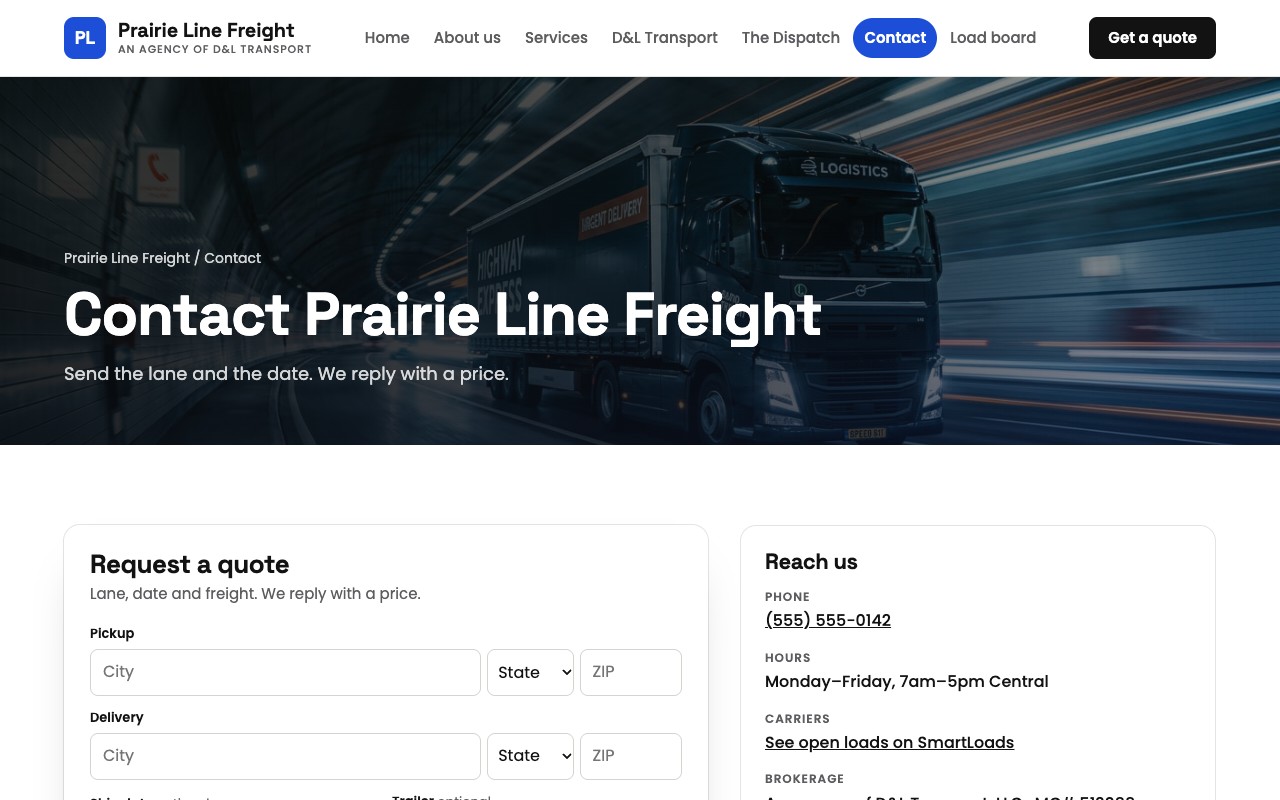
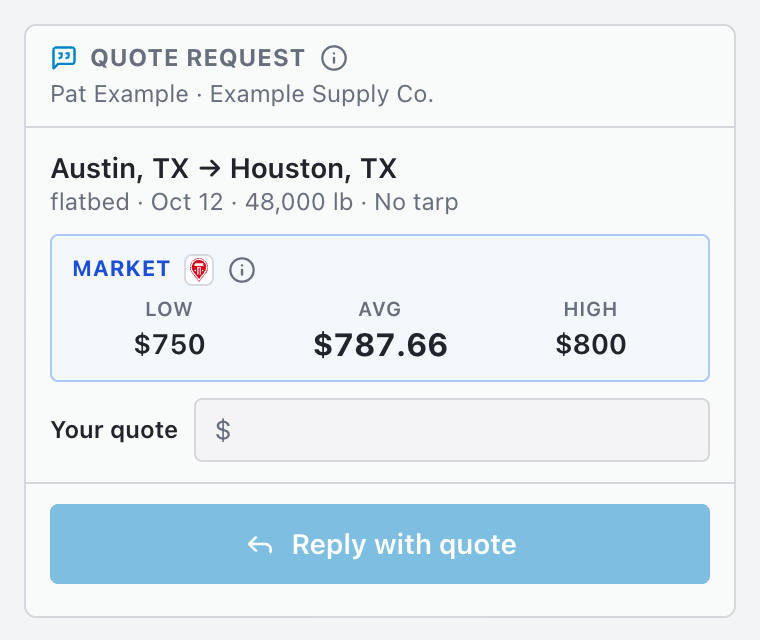
Sample agency and sample quote request.
Get your price out first.
See SmartQuote on your own quote requests.