

The problem
Every customer sends loads their own way.
A spreadsheet from one, a PDF from another, a table pasted into an email, a Google Sheet. Someone has to retype it all before a carrier ever sees a load.
How it works
Loads in, one board out.
-
Loads come in
Excel and PDF attachments, HTML tables, plain email text, Google Sheets syncs and the Aljex Big 500 import.
-
They land on one board
Each load lands on your agency’s board, clean and organized. When a customer re-sends a sheet, the duplicates are caught.
-
You post them
Loads post to Truckstop through its API, and SmartLoads builds your DAT upload file.
What you get
One board for the whole agency.
- Excel and PDF attachments
- HTML tables and plain email text
- Google Sheets syncs and the Aljex Big 500 import
- One clean board for your agency
- Duplicates caught when a sheet is re-sent
- Posts to Truckstop through its API
- Builds your DAT upload file
- Optional: lane alerts for carriers
- Optional: the public SmartBoard, where carriers see your open loads
Screenshot
The board your team works from.
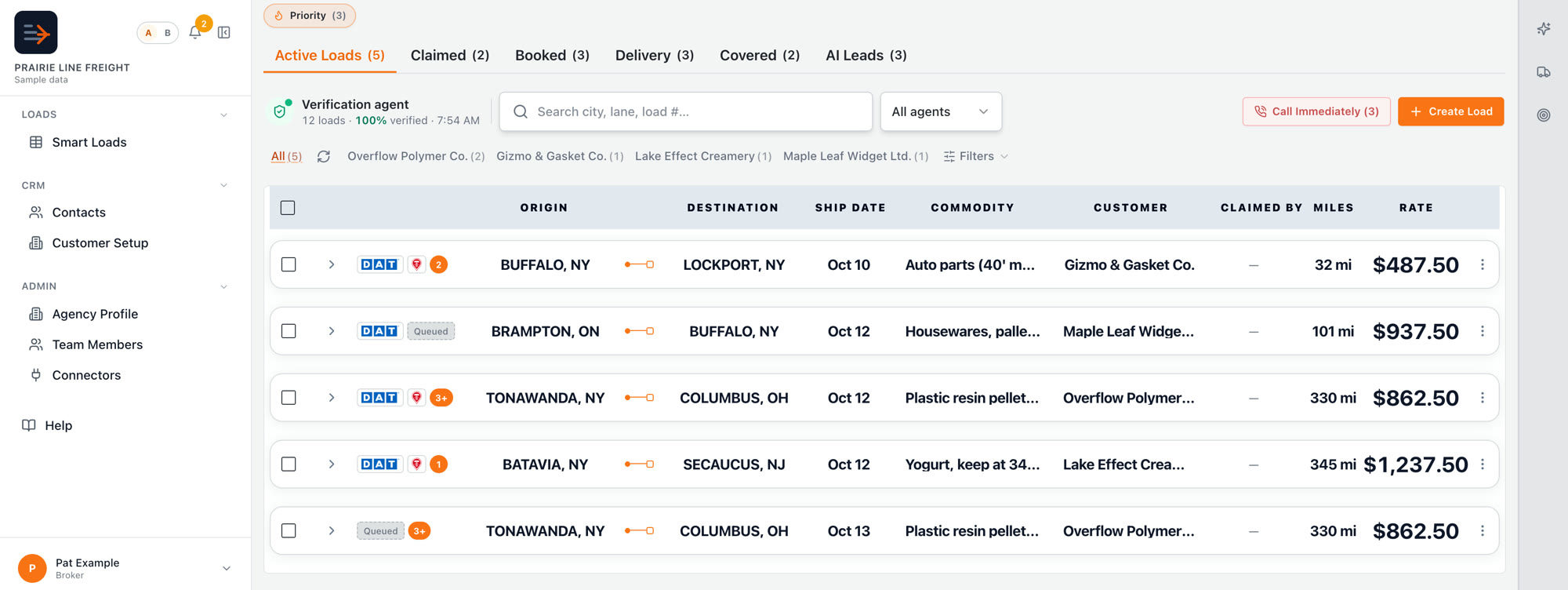
Sample data: the agency, customers and loads are made up.
Put every load on one board.
See SmartBoard with your own customers’ loads.